All capabilities
05 / 14The data, up close
A grid that stays honest about your data.
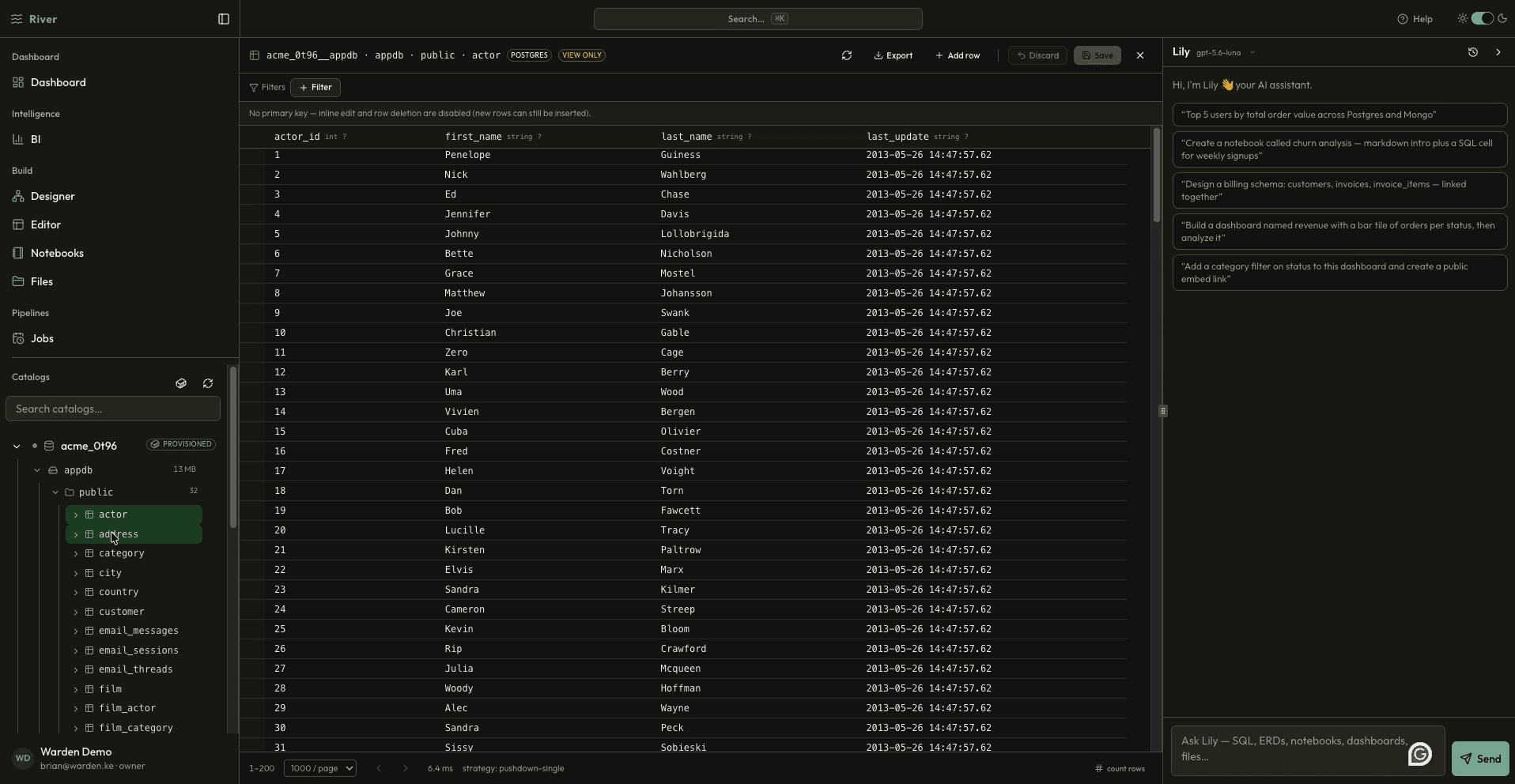
Open any table or collection in a responsive grid with filters, sorting, paging, and primary-key-gated editing. Import, export, and table-scoped tools sit beside the data instead of in a script.
Included tools
Filter & sortPagingInline editingStaged mutationsCSV / JSON exportImport & truncate
The problem
Checking a value should not require a query, and fixing one row should not require a migration. But careless editors make accidents easy.
The River approach
River gives every table a fast grid with staged edits, clear guards around keys and read-only connections, and export or import in the formats your team already uses.
See it working
Inside Table Editor.
river.local / table
What changes for your team
Less friction between the question and the answer.
Inspect and correct rows without leaving the workspace
Filter, sort, and page through large tables comfortably
Move data in and out with CSV and JSON
01
Open
Pick a table from the catalog tree.
02
Filter
Sort, page, and narrow to what matters.
03
Edit
Apply safe, reviewable changes.
Next capability